Banners de assinatura de e-mail para o Natal
Navegue pelos modelos de bannersExplore dezenas de banners para assinatura de e-mail de Natal e Ano Novo para deixar suas mensagens mais festivas e atraentes. Escolha seu design favorito e o adicione à sua assinatura de e-mail de Natal.
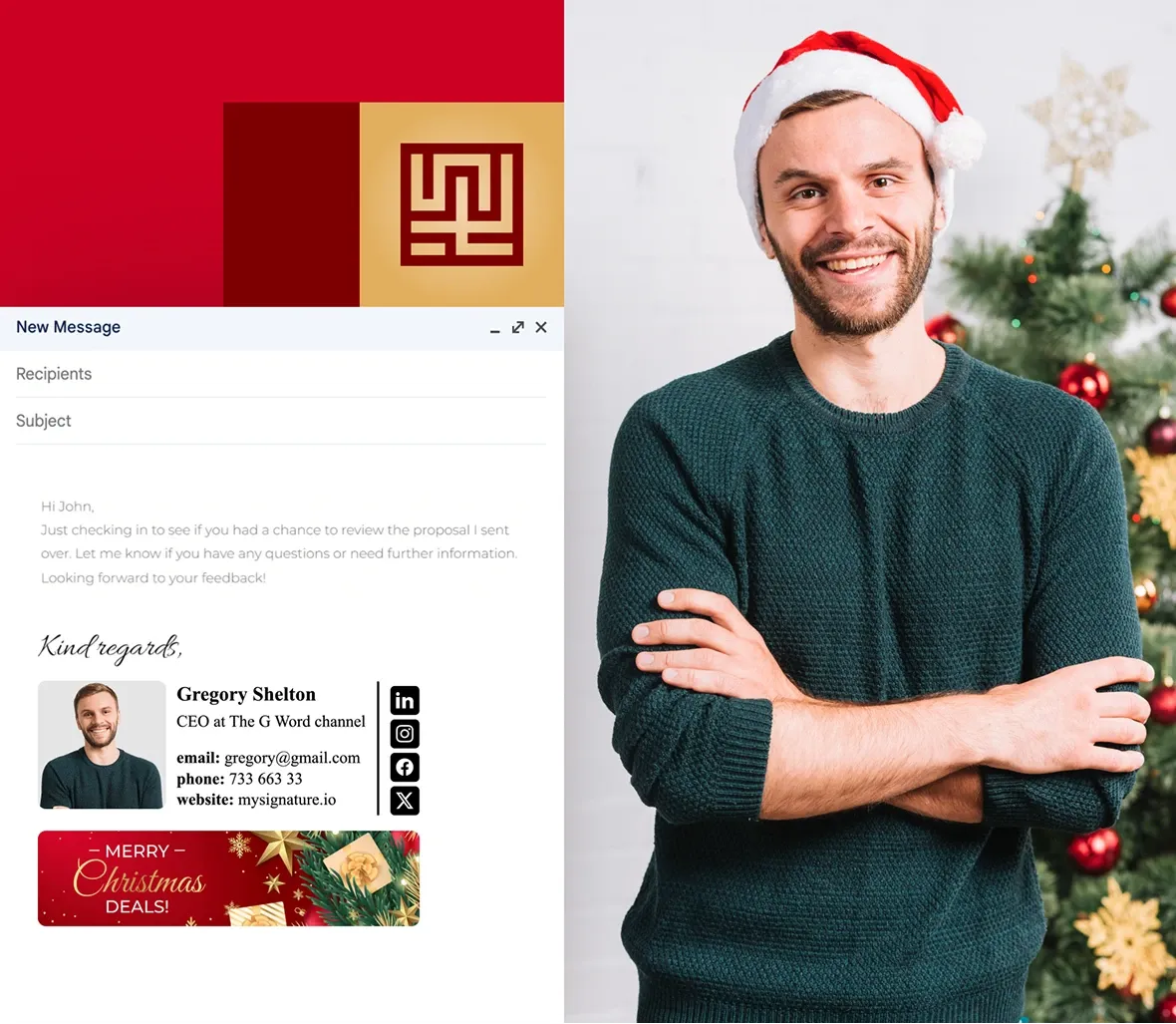
Exemplos gratuitos de banners para assinatura de e-mail de Natal
Clique em qualquer banner que você gostar para criar uma assinatura de e-mail. Escolha um modelo estático ou animado na galeria de banners do editor da MySignature.





Confira outros banners temáticos e sazonais para a sua assinatura
Não se esqueça de atualizar sua assinatura de e-mail após o Natal com banners para o Ano Novo, Dia dos Namorados, Páscoa e muito mais.
Banners de Cyber Monday
Banners de assinatura de e-mail para Black Friday
Dia Internacional da Mulher
Banners de Assinatura de e-mail para o Dia da Independência
Banners de Halloween
Banners de Páscoa
Banners de assinatura de e-mail para o Dia de Ação de Graças
Banners de assinatura de e-mail para o Ano Novo
Banners de assinatura de e-mail para o mercado imobiliário
Como adicionar um banner à sua assinatura de e-mail de Natal
Escolha o banner que você mais gosta e siga os passos:
Criar uma assinatura de e-mail de Natal
Faça login na sua conta MySignature e abra o Editor de Assinaturas.

No editor, vá até a seção Imagens.

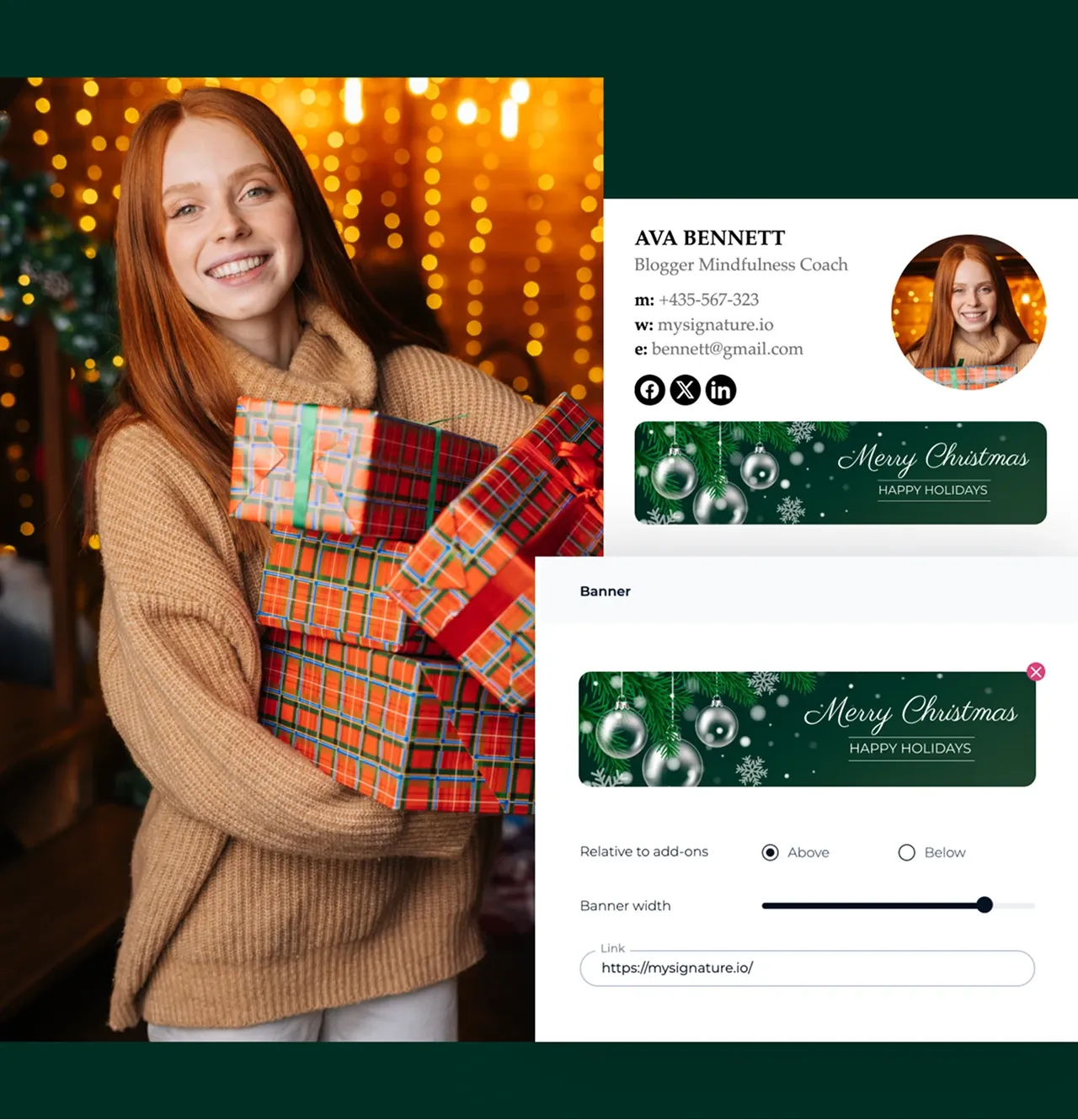
Selecione Galeria de Banners para navegar pelos designs disponíveis.

Escolha o banner estático ou animado que você preferir.

Clique em adicionar à assinatura para inserir o banner.

Você também pode enviar seu próprio banner ou layout (por exemplo, do Canva), se preferir.

Ajuste o tamanho e a posição no editor, se necessário, para que o banner fique em harmonia com o restante da assinatura.

Salve sua assinatura quando estiver satisfeito com o resultado.
Dicas para criar um banner de assinatura de e-mail para o Natal
Dê um toque natalino aos seus e-mails com uma assinatura acolhedora e festiva:
- Escolha um banner de Natal na galeria da MySignature ou adicione seu próprio design que reflete o clima da data.
- Certifique-se de que o banner combine bem com o texto da assinatura, mantendo um visual elegante.
- Opte por cores que remetam ao Natal, como vermelho intenso, verde ou dourado brilhante.
- Antes de enviar, verifique como sua assinatura aparece em diferentes clientes de e-mail para garantir que esteja perfeita.
- Após a data, substitua o banner para manter seus e-mails atuais e relevantes.
Perguntas Frequentes - FAQ
Qual é o tamanho ideal de banner para adicionar a uma assinatura de e-mail?
Um tamanho comum de banner é o de 640×480 pixels. Assim, você consegue manter boa qualidade e o arquivo não fica pesado. Procure manter seu tamanho abaixo de 1 MB para carregar de forma mais rápida em qualquer plataforma.
Como criar uma assinatura de e-mail de Natal?
Você pode criar uma assinatura de Natal usando a MySignature. Basta fazer login no editor, escolher um modelo e personalizá-lo com seus dados. Para deixá-la mais festiva, adicione um banner de Natal da galeria ou envie seu próprio layout criado no Canva. Quando estiver satisfeito, salve a assinatura e aplique-a no seu cliente de e-mail.
Como adicionar uma assinatura de Natal no Gmail
Configurar uma assinatura de Natal no Gmail é fácil com nosso criador de assinaturas. Primeiro, crie uma conta na MySignature. Em seguida, personalize sua assinatura escolhendo um modelo, adicionando seus dados e selecionando uma paleta de cores. Quando estiver pronto, clique em “Copiar para a área de transferência”, cole na seção de assinatura do Gmail e pronto.